API keys
Create, use, expire and revoke the org API keys that the CLI, the MCP server, the clients and the REST API authenticate with, for the whole org or limited to some sandboxes.
Every call to the pols API is made with an API key. A key belongs to the person who made it and to one org: it acts in that org only, with that person’s role there, either in the whole org or, if you limit it, only in some of its sandboxes. If you belong to several orgs, you need a key for each. The CLI, the MCP server, the TypeScript client and your own scripts all use one.
Creating and revoking keys
Keys are managed on the Agents page of your account, where you log in with your email address, or made by email approval with pols signup --email. The API has no operation to create or revoke keys, so a leaked key can neither create successors for itself nor lock out your other keys.
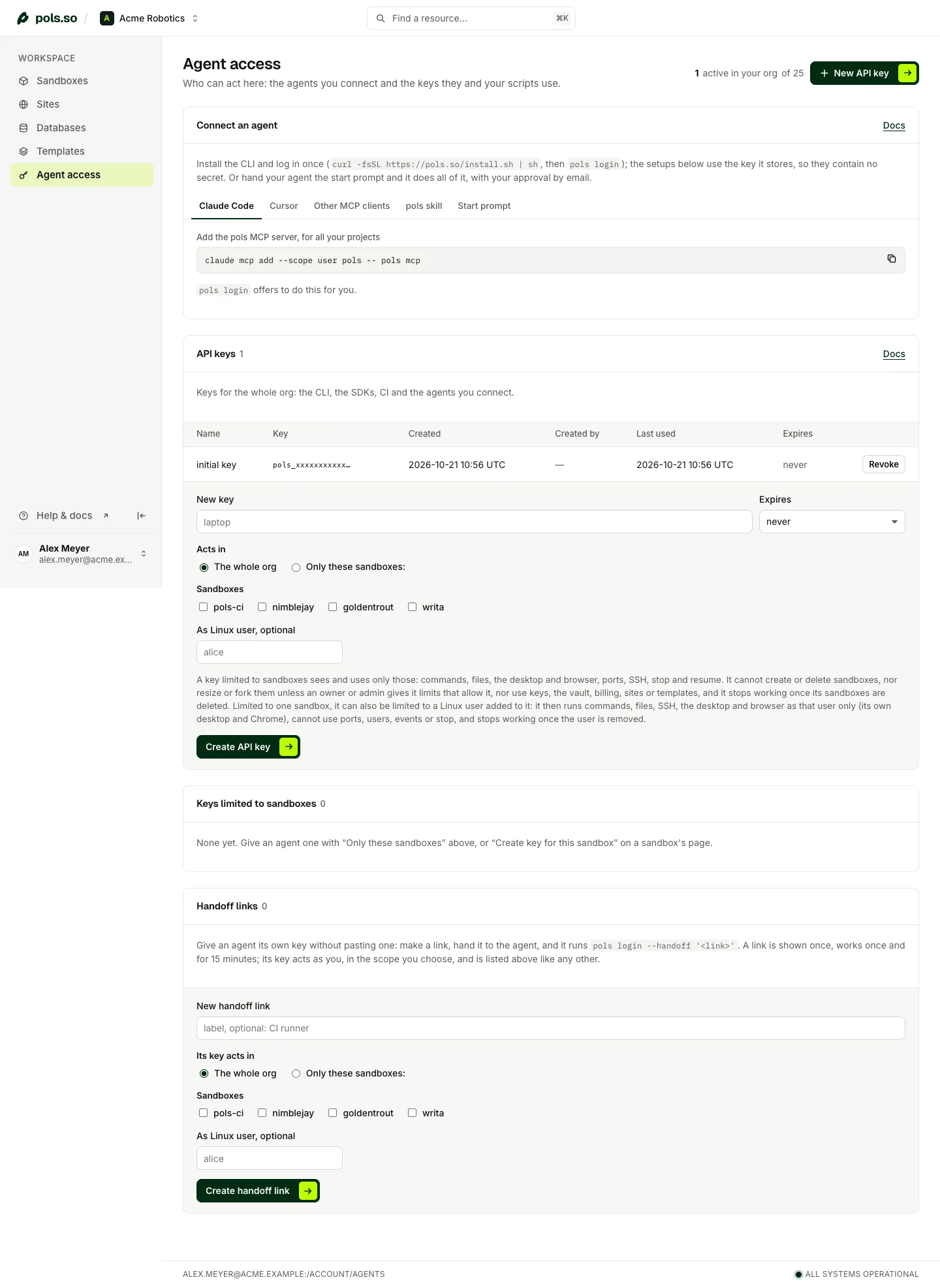
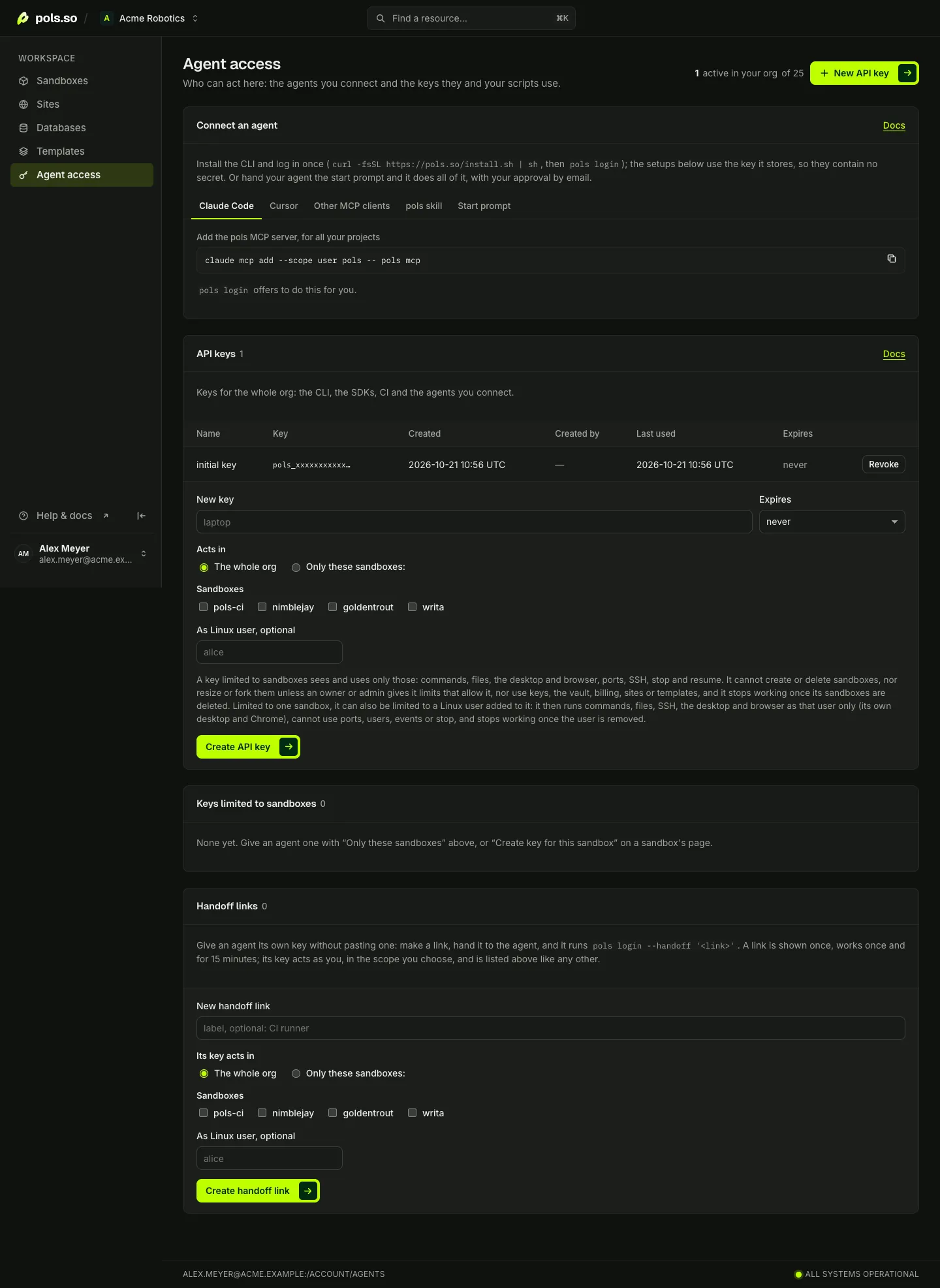
On the account page you can:
- Create a key with a name, let it expire after 30, 90 or 365 days, or never, and choose what it acts in: the whole org, or only the sandboxes you tick. Its secret (
pols_...) is shown once; copy it before you leave the page. - See your own keys, or every key of the org if you are an owner or admin, with what each acts in, who created it, when it was last used and when it expires.
- Revoke a key. It stops working at once, and so do the port sessions, desktop links and browser URLs it created.
A key acts with your role in the org, and changes with it. Owners and admins can also revoke every key of the org. Removing someone from the org revokes their keys.
Your org may have up to 25 active keys; revoked and expired keys do not count. With an API key you can list keys (GET /v1/api-keys, never with secrets; a member’s key lists only that member’s own keys) to check their names, start and expiry.
pols stores only a SHA-256 hash of each key, so a lost key cannot be shown again: create a new one and revoke the old one.
Keys limited to sandboxes
A key can be limited to one or more sandboxes of its org. It then sees and uses those sandboxes only, and nothing of the org around them. Give one to a colleague, a contractor, a CI job or an agent that needs a particular sandbox and no more.
Creating one
On the Agents page, set Acts in to Only these sandboxes and tick the sandboxes. Or open a sandbox’s page in the account pages and click Create key for this sandbox: the form opens with that sandbox ticked, and you can tick more. Deleted sandboxes and the build sandboxes of sites cannot be chosen. The notice with the new key’s secret names the sandboxes it acts in, and the Acts in column of the key list shows each key’s sandboxes, or whole org.
Any member can create such a key; it acts with their role like any other key. A key’s sandboxes are set when it is made: to change them, create a new key and revoke the old one.
What it can and cannot do
| On its sandboxes it can | It cannot |
|---|---|
| get them and their stats and timeline events | create, delete or rename sandboxes, change their egress policy or timeline settings, or fork or resize them unless its limits allow it |
| stop and resume them | use templates, sites, the vault, webhooks or GitHub |
| run commands and move files, add and remove sandbox users | list API keys |
| use the desktop, computer use and CDP | use billing, usage or the org’s stats |
| publish ports and log in over SSH | see or act on any other sandbox |
Everything in the right-hand column answers 403 forbidden; a call beyond the key’s limits answers 403 key_limit. Any other sandbox, whether you name it by ID, name or host label, answers 404 not_found, exactly like a sandbox that does not exist, so the key cannot learn which other sandboxes there are; it never gets the sandbox_in_other_org hint either.
What the org-level reads show it is narrowed the same way: GET /v1/sandboxes and pols ls list its sandboxes only, GET /v1/org names them in sandboxes and counts only their usage, and GET /v1/orgs lists its own org only. pols login and pols org say that the key is limited and name its sandboxes:
Logged in to https://api.pols.so as member of org acme (org_...), with a key limited to sandbox web (sbx_...). Saved to ...Port login links, desktop links and CDP URLs it makes open its sandboxes only, and an SSH key registered with it logs into its sandboxes only. It sees no account email addresses: SSH keys show an empty user_email, and events caused on the account pages name account user.
Limits
An owner or admin can give a key limited to sandboxes limits on the Agents page, so that an agent can adapt its own sandboxes within a budget. Limits name the actions the key may take on its own: resize its sandboxes, fork them (a fork joins the key’s sandboxes), checkpoint (create, delete and roll back to checkpoints) and port (publish, link and close ports). They also cap the largest size the key may resize or fork to, what its sandboxes may cost in CPU and RAM per calendar month, deleted ones included, and how many sandboxes it may have. Past its monthly spend, the key may not resume, resize or fork; its sandboxes that run keep running.
A key without limits, which every key is until an owner or admin sets some, can neither resize nor fork, and keeps checkpoints and ports. A call beyond the limits answers 403 key_limit, with error.key_limit naming the limit, the key’s value and its maximum. The org’s quotas, credit and trial limits apply too.
When its sandboxes are deleted
A deleted sandbox leaves the key’s scope at once. Once all of its sandboxes are deleted, the key stops working and answers 401 unauthorized everywhere, as a revoked key does; it never widens to the org. The key list then says no sandbox left: no longer works. Revoke it there like any other key.
Before you hand one out
- The key can run commands as root in its sandboxes, so whoever holds it can read everything in them, including their environment and the vault secrets given to them. Limit a key only to sandboxes whose secrets its holder may see.
- It can resume its sandboxes, which starts billed running time for your org, and publish their ports, also publicly.
- Its requests count against your org’s rate limits.
Using a key
With the CLI
pols login                    # paste the key; it is checked and stored
pols login --email you@example.com   # or approve a new key by email
export POLS_API_KEY=pols_...  # or set it per shell; this wins over a stored key
pols logout                   # forget every stored key
pols login reads the key from standard input, never from a flag, so it does not end up in your shell history: echo "$KEY" | pols login works in scripts. The key is stored in your user config directory with permissions that only you can read. The CLI keeps one key per org; pols org use switches between them. pols logout forgets all of them; it does not revoke them, so revoke a key on the account page if it may have leaked.
A stored key is only sent to the API address it was stored for (https://api.pols.so by default). To use another address, pass --api-url to pols login, or set POLS_API_KEY together with POLS_API_URL. The CLI refuses plain http:// addresses other than localhost.
With the REST API
Send the key as a bearer token:
curl -H "Authorization: Bearer $POLS_API_KEY" https://api.pols.so/v1/orgA missing, wrong, revoked or expired key gets 401 unauthorized. Repeated failures from one address are rate limited.
Keeping keys safe
- Give each machine, CI system or agent its own key, so you can revoke one without touching the others, and let keys expire where you can. If it needs only some sandboxes, limit the key to them.
- Pass keys to MCP clients through an environment variable reference or
pols login, never as a literal value in a config file; see MCP server. - Put a pols key into a sandbox only when something there needs to drive pols, and then a key limited to the sandboxes it needs: anything that runs in the sandbox can read it.